Do you also have a mobile phone that gets hot or runs slow and you think that the mobile is damaged and should be reset or repaired by a shopkeeper? Actually, this is not true. All this is due to a virus in your mobile phone, due to which your mobile phone gets hot and runs slow and you think that it is damaged. In this article, we will tell you in full detail how you can remove the virus from your mobile phone without resetting it. I will tell you this whole method in simple step-by-step. Read this article till the end.
Signs Your Mobile Has a Virus
How will you know if your mobile phone has a virus? See the steps below.
- Phone becomes very slow
- Battery drains faster than usual
- Pop-up ads appear without opening the browser
- Phone heats up
- Unknown apps installed
If you are facing any of these issues, continue with the fixes below.
Method 1: Remove Virus Using Safe Mode
Safe Mode temporarily disables all third-party apps so you can easily detect and remove the virus.
Steps:
Turn off the mobile
Press and hold the Power button
Tap and hold “Power Off”
Select Reboot to Safe Mode
Uninstall any app that looks suspicious
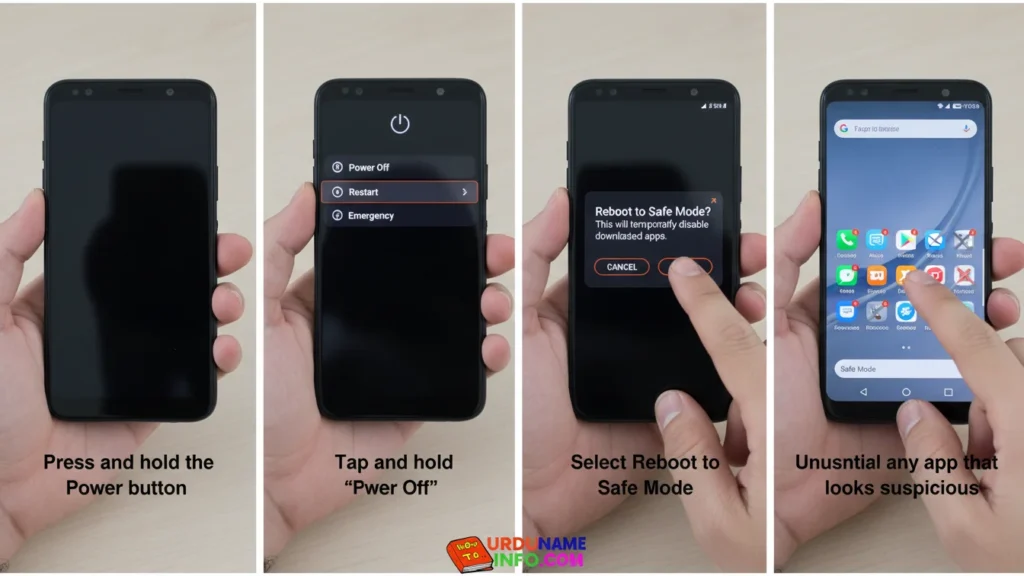
This removes hidden malware safely.
Method 2: Delete Suspicious Apps Manually
Steps:
Open Settings
Tap Apps
Select App Management
Find unknown or recently installed suspicious apps
Tap Uninstall
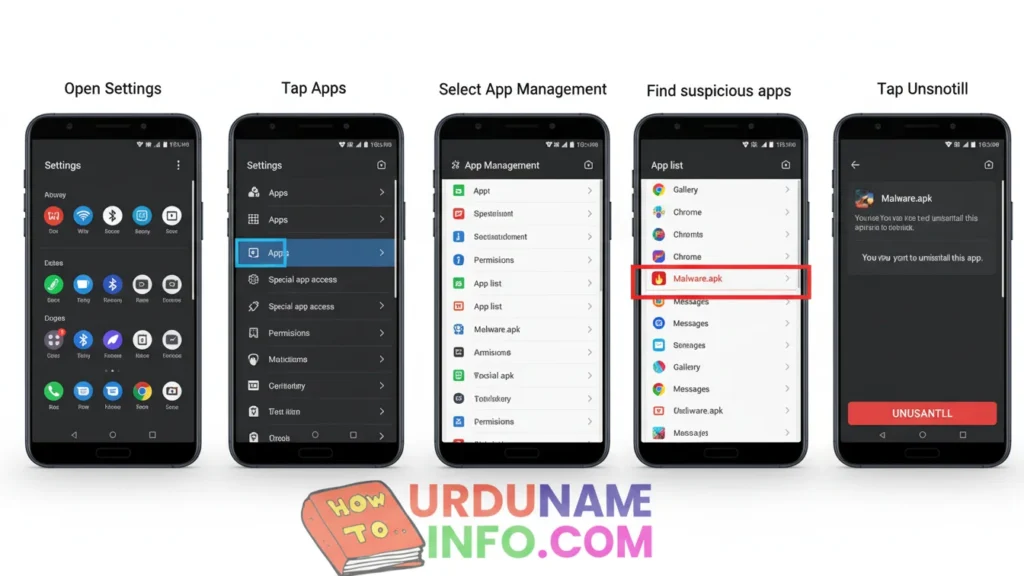
Do NOT uninstall system apps only third-party apps.
Method 3: Clear Browser Virus Pop-Ups
Most mobile viruses come from the browser.
Steps:
Open Chrome
Tap 3 dots → Settings
Open Site Settings
Tap Notifications
Block any website sending spam ads
Clear History & Cache
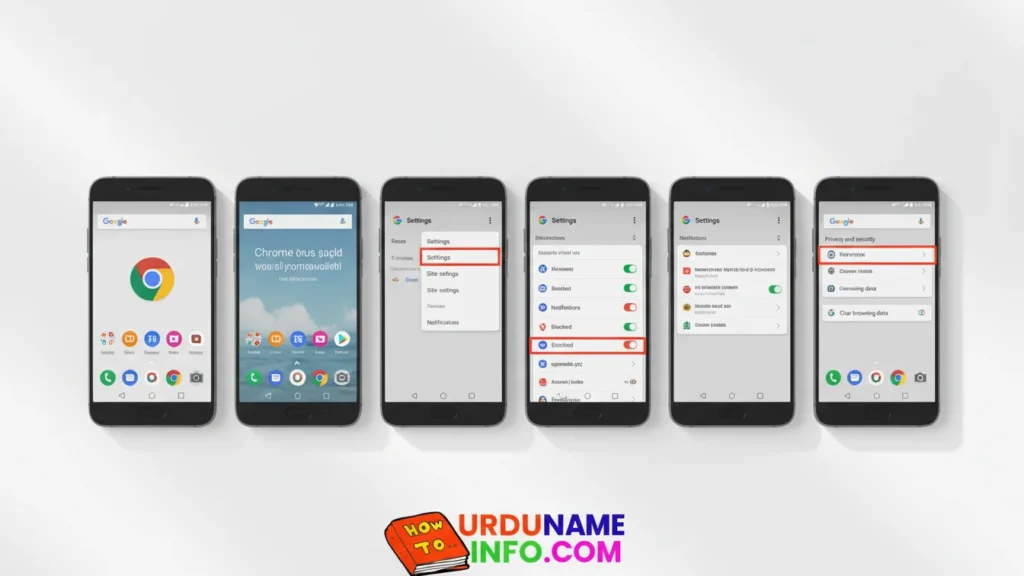
This removes pop-up virus notifications.
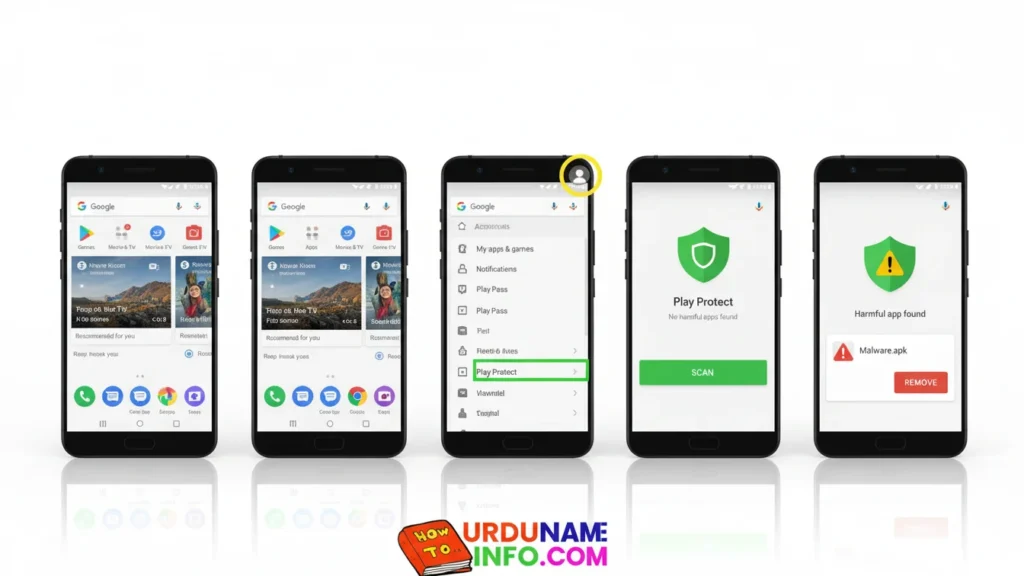
Method 4: Remove Virus Using Play Protect
Google Play Protect can scan and remove harmful apps automatically.
Steps:
Open Play Store
Tap your Profile icon
Tap Play Protect
Tap Scan
Remove any harmful app detected
Read More:
- How to Check Original vs Fake Mobile Battery (Full Guide)
- How to Clean Mobile Screen at Home (Without Scratches)
- How to Lock WhatsApp Without Any App
Method 5: Remove Virus Using File Manager
Steps:
Open File Manager
Go to APKs / Downloads
Delete unknown or suspicious APK files
Clear Trash / Recently Deleted
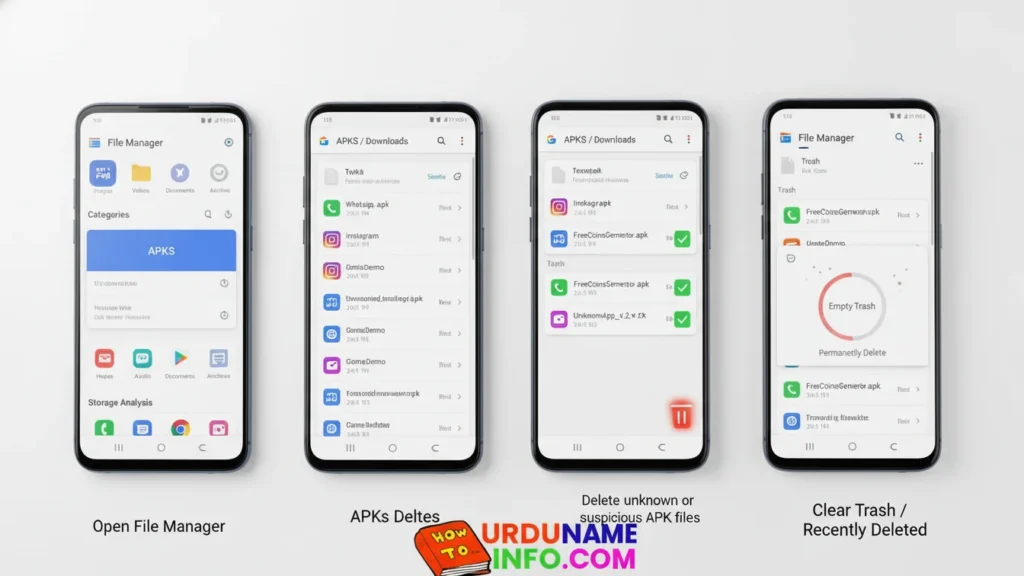
Many viruses hide in APK files. Deleting them removes the threat.
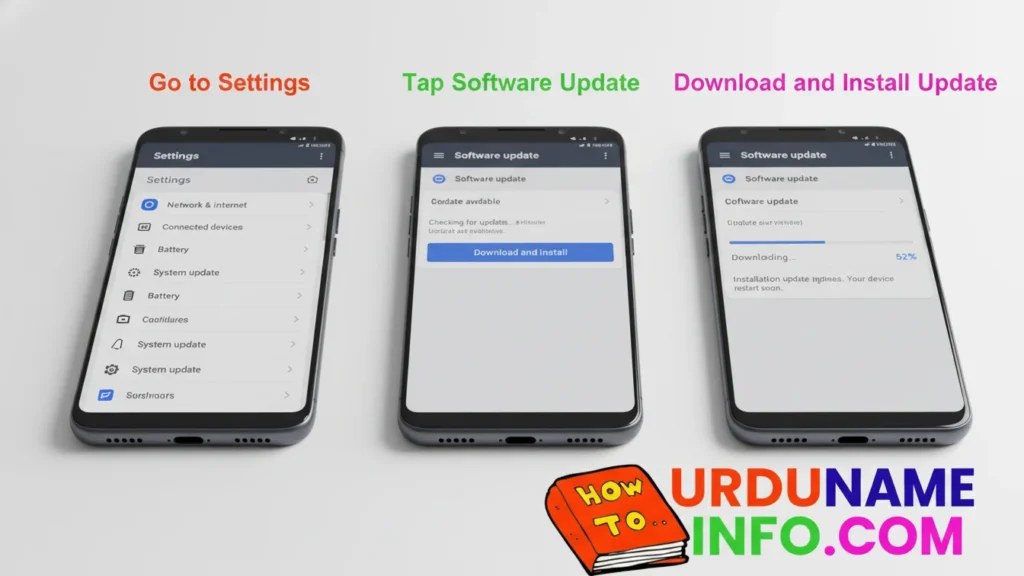
Method 6: Update Your Device
System updates patch security flaws.
Steps:
Go to Settings
Tap Software Update
Download and install the update
Method 7: Stop Unknown App Installations
Steps:
Open Settings
Go to Security
Turn OFF Install Unknown Apps for all apps
Enable Google Play Protect
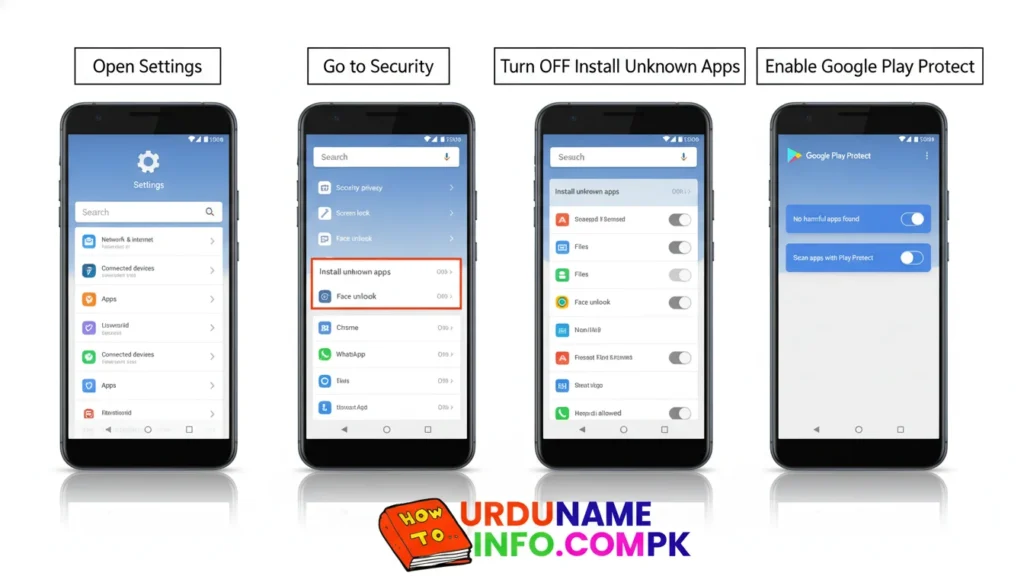
This prevents future malware infections.
Conclusion
You can easily remove viruses from your mobile without formatting your phone. Just follow the steps above carefully. If your phone still behaves strangely after these methods, then only a factory reset may be needed but in most cases, the methods above work perfectly. If you have any other problem, you can ask us in the comment section. We will definitely answer you. Whatever your problem is, we will definitely tell you the solution.
Author

netpub60@gmail.com
Related Posts
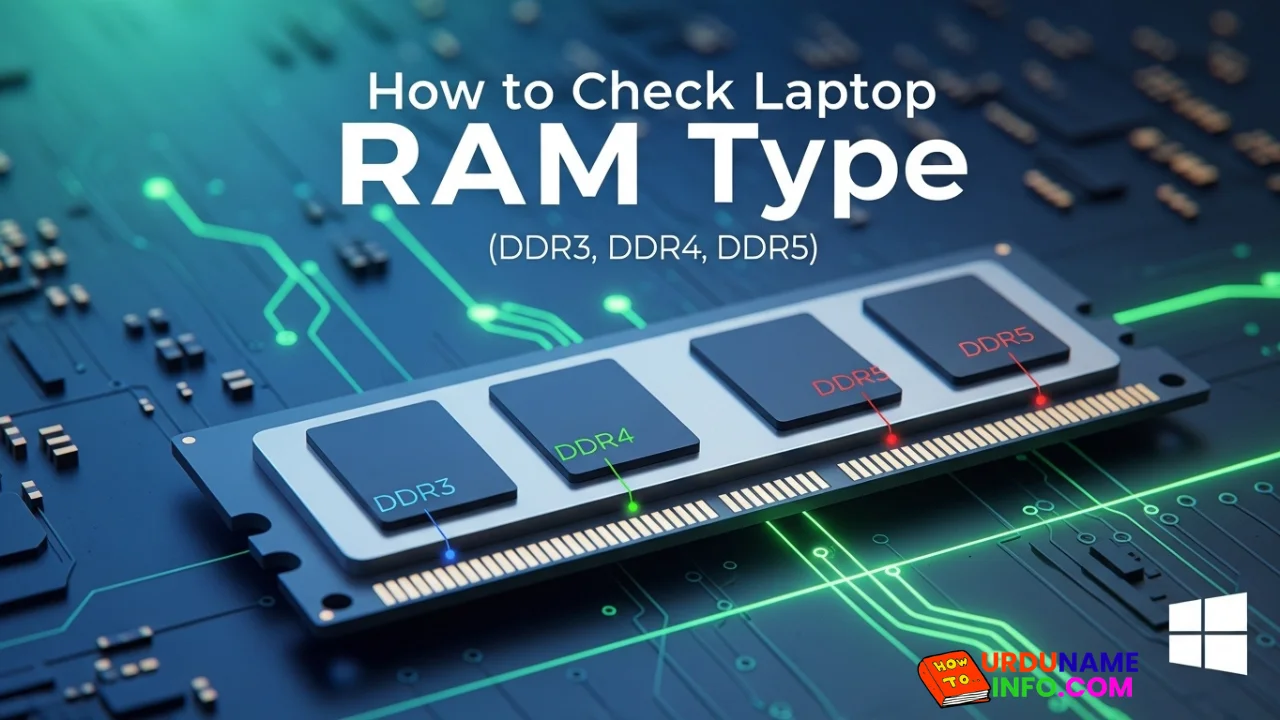
How to Check Laptop RAM Type in Windows (DDR3, DDR4, DDR5)
If you are planning to upgrade your laptop’s memory, the first thing you need to know is your RAM type. Buying the...
Read out all
How to Fix Laptop Screen Flickering in Windows
Laptop screen flickering is a common issue in Windows 10 and Windows 11. The screen may blink, flash, or refresh continuously, making...
Read out all
How to Check Internet Speed on Laptop Without App
If your internet feels slow while browsing, streaming, or downloading files, the first thing you should do is check your internet speed....
Read out all
Common Laptop Mistakes That Reduce Performance
Many people think a slow laptop means old hardware or the need for a new device. In reality, laptops often slow down...
Read out all
How to Fix USB Device Not Recognized Error
Seeing the message “USB Device Not Recognized” can be annoying, especially when you urgently need to access a flash drive, keyboard, mouse,...
Read out all
Difference Between SSD and HDD for Beginners
If you are new to computers, terms like SSD and HDD can sound confusing. Many people hear that SSD is “faster” and...
Read out all